|
| Posted By |
Message |
kms717
St Philomena Protect My Son

Member since 2/06 2747 total posts
Name:
Kelly
|
Spinoff - Aging
Let's see some pics of you and SO when you met and now.
|
Posted 12/12/07 3:52 PM  |
| |
|
Long Island Weddings
Long Island's Largest Bridal Resource |
kms717
St Philomena Protect My Son
Member since 2/06 2747 total posts
Name:
Kelly
|
Re: Spinoff - Aging
The first picture is 7/27/99 (ten days after we met)
*pics never work for me for some reason  

Message edited 12/12/2007 6:10:44 PM.
|
| Posted 12/12/07 4:04 PM |
| |
|
DaniJude
You're My Home <3
Member since 11/06 14815 total posts
Name:
Danielle
|
Re: Spinoff - Aging
this is the furthest back i have:
one from our first trip together to barbados about 7 mo into our relationship
then, epics from like a year after we met
then, pics from our wedding day
OK - pic from barbados not working lol e-pic good enough hahaa Image Attachment(s):


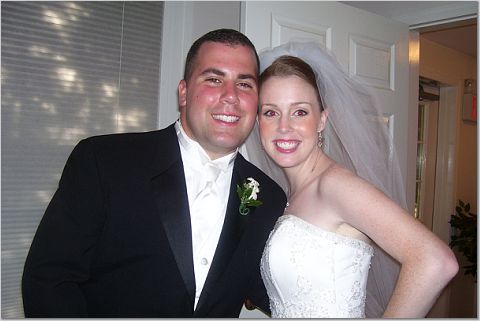
Message edited 12/12/2007 4:28:28 PM.
|
| Posted 12/12/07 4:26 PM |
| |
|
CaMacho
Sisters :)

Member since 7/06 15112 total posts
Name:
Jess
|
Re: Spinoff - Aging
Quoted from a past post of i'mthecindyofcindyandkevin (on how to insert a pic in your post using the Insert Web Image feature under the emoticons):
"If you have it saved in your album or it's online it's easy. Right-click on the pic and it will bring up a menu, select Properties. Then highlight the URL Address, right-click again, select Copy and click OK. Then click Reply (or New Topic if you're starting a new thread), under the smiley emote-icons choose Insert Web Image and it brings up a small box, right-click in it and select Paste. Then OK, and then Post Reply.
Try it!!
ETS: You can do this as many times as you like to insert multiple pics and even include captions in between."
|
| Posted 12/12/07 4:37 PM |
| |
|
kms717
St Philomena Protect My Son
Member since 2/06 2747 total posts
Name:
Kelly
|
Re: Spinoff - Aging
Posted by CaMacho
Quoted from a past post of i'mthecindyofcindyandkevin (on how to insert a pic in your post using the Insert Web Image feature under the emoticons):
"If you have it saved in your album or it's online it's easy. Right-click on the pic and it will bring up a menu, select Properties. Then highlight the URL Address, right-click again, select Copy and click OK. Then click Reply (or New Topic if you're starting a new thread), under the smiley emote-icons choose Insert Web Image and it brings up a small box, right-click in it and select Paste. Then OK, and then Post Reply.
Try it!!
ETS: You can do this as many times as you like to insert multiple pics and even include captions in between."
Woo-hoo Thanks 
|
| Posted 12/12/07 6:12 PM |
| |
|
Potentially Related Topics:
Currently 737137 users on the LIFamilies.com Chat
|