| Posted By |
Message |
Gertyrae
Peace out Homies!

Member since 5/05 20046 total posts
Name:
Gerty ®
|
LIF Picture question...
A lot of you are able to post pics with description or "comments" above and/or below each pic. How?
I can't figure out how to do it.
|
Posted 7/4/07 12:35 PM  |
| |
|
Long Island Weddings
Long Island's Largest Bridal Resource |
bklyngirl
COULD THIS BE MY YEAR??

Member since 6/05 15758 total posts
Name:
Gail
|
Re: LIF Picture question...
click on the picture, go to properties, then copy the link. then in the LIF window, write what you want, them go to insert web image.
i hope this makes sense
|
| Posted 7/4/07 12:37 PM |
| |
|
dm24angel
Happiness

Member since 5/05 34581 total posts
Name:
Donna
|
Re: LIF Picture question...
You can do that if you are clicking on the "properties" of a picture and then using the "insert web image on the left side of the screen in "add feature" section.
You cant do it if your adding the pictures by using the "attach images" section below ( which I never use)
|
| Posted 7/4/07 12:38 PM |
| |
|
nrthshgrl
It goes fast. Pay attention.

Member since 7/05 57538 total posts
Name:
|
Re: LIF Picture question...
You upload to a website (I use the LIF community album).
instead of using the Attach IMages, I used Insert Web Image & use the properties from the photo.
|
| Posted 7/4/07 12:38 PM |
| |
|
Gertyrae
Peace out Homies!
Member since 5/05 20046 total posts
Name:
Gerty ®
|
Re: LIF Picture question...
Okay...I'm going to attemt this...
Nope...still didn't work
 Misty in the car... Misty in the car...
Wait - I think I got it!!
Message edited 7/4/2007 12:48:25 PM.
|
| Posted 7/4/07 12:46 PM |
| |
|
Gertyrae
Peace out Homies!
Member since 5/05 20046 total posts
Name:
Gerty ®
|
Re: LIF Picture question...
Okay..now I have to figure how to get them bigger 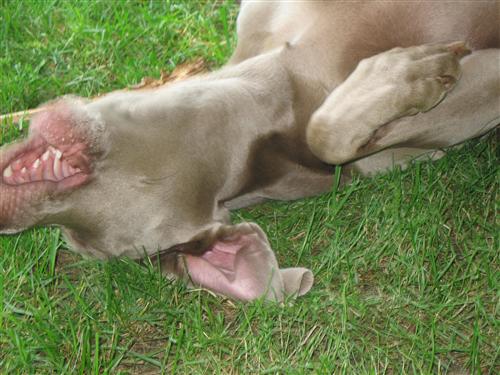
Let's see ...
Message edited 7/4/2007 12:50:07 PM.
|
| Posted 7/4/07 12:48 PM |
| |
|
dm24angel
Happiness
Member since 5/05 34581 total posts
Name:
Donna
|
Re: LIF Picture question...
Posted by Gertyrae
Okay...I'm going to attemt this...
Nope...still didn't work
OK
1st- Where are the pcictures? In your "album"? If not..upload them there.
2nd- right click on the picture once its there. Copy the "properties"
3rd...Open a post and type what you want to be "ABOVE the picture....describe it etc"
4th...on the left click on insert web image and when the box pops up...then right click and PASTE the properties there.
Hit post reply...your done.
ETA- To make them bigger.....
Instead of just righ clicking on the picture from your album...actually click on the picture and open it up..THEN YOU RIGHT CLICK to get the properties once its at a bigger size.
Message edited 7/4/2007 12:50:54 PM.
|
| Posted 7/4/07 12:50 PM |
| |
|
Gertyrae
Peace out Homies!
Member since 5/05 20046 total posts
Name:
Gerty ®
|
Re: LIF Picture question...
I think I got it!!!
Thanks everyone!!!!!!!!!
|
| Posted 7/4/07 12:50 PM |
| |
|
Goldi0218
My miracles!

Member since 12/05 23902 total posts
Name:
Leslie
|
Re: LIF Picture question...
I love that dog!
|
| Posted 7/4/07 1:03 PM |
| |
|