|
Re: Photoshop Challenge Week #1
Posted 9/27/2009 12:46:18 PM by pharmcat2000 Here is my feeble attempt: 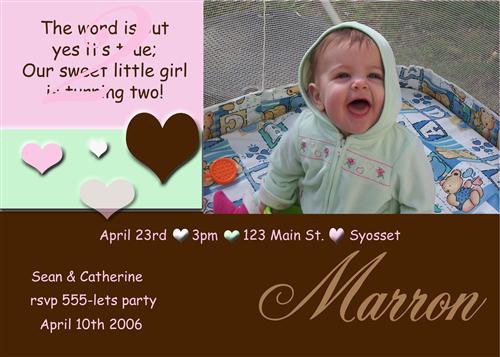 As you can see, I couldn't load the fonts or shapes. I would have liked to have made the background of the pic b&w but I don't know how to do it. I also couldn't figure out how to have the #2 behind the text in the pink box, and I couldn't figure out how to have the whit stripe between the boxes. Oh and I don't know how to get rid of the shadows behind the hearts. I know it looks pretty bad, but it took me HOURS AND HOURS!  p/s - I think my layers were: background (pink) green box brown box photo #2 brown text in pink box each different shape in green box Marron Party info text hearts between party info rsvp data |